Building Your Home Studio Under $500
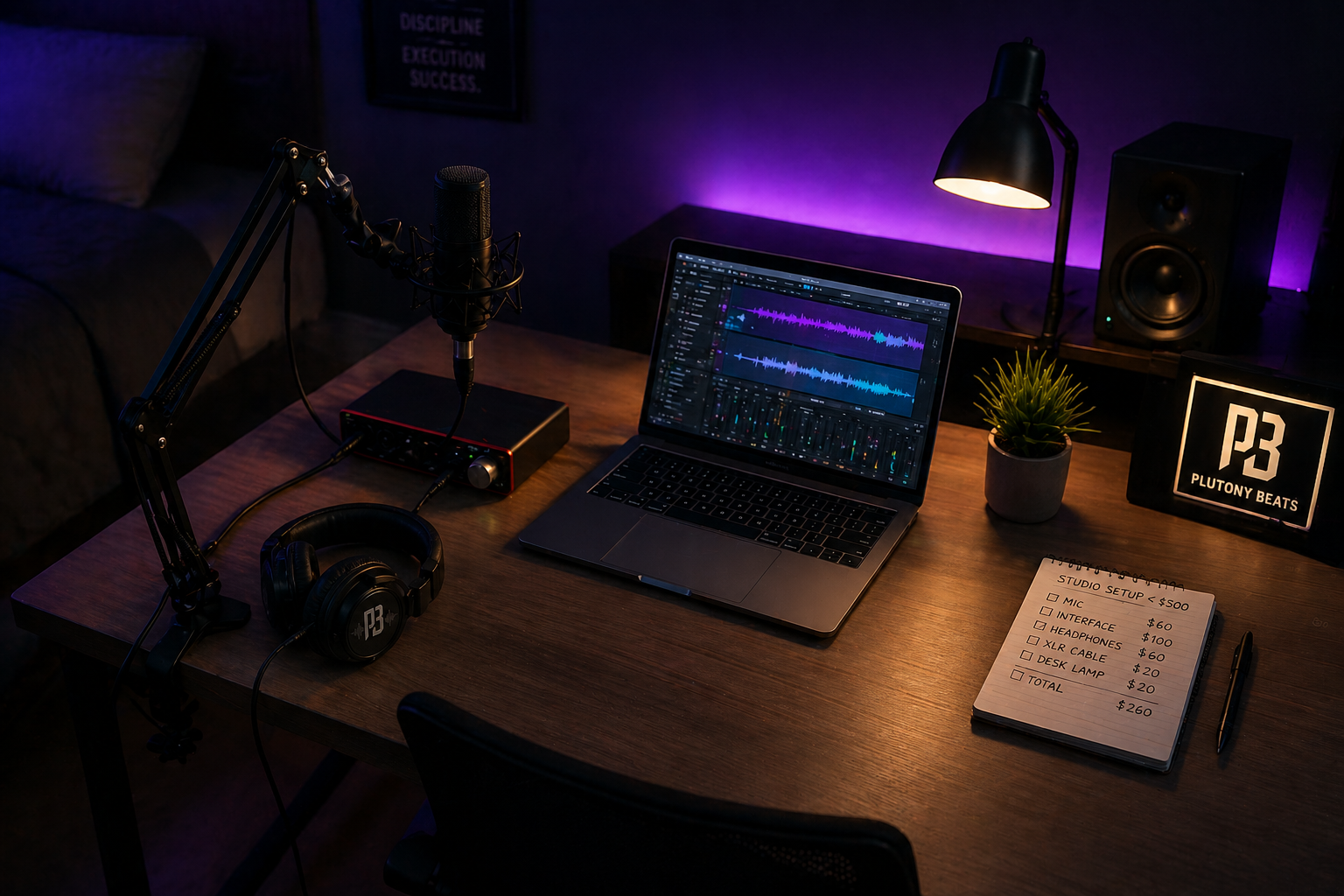
There is a belief that has been holding independent artists back for years: the idea that you need thousands of dollars in gear before you can make music that sounds professional. It is a lie, and it is an expensive one. In 2026, the market for home-recording gear is bigger, cheaper, and more competitive than ever because independent musicians, podcasters, streamers, and content creators are all buying the same basic tools. The gear that costs $500 today can deliver clean vocals that would have required a much more expensive setup not long ago.
The secret that experienced producers and engineers repeat in every forum, every YouTube tutorial, and every Reddit thread is this: your room, your technique, and your signal chain matter more than the price tag on your microphone. A $100 mic through a quality interface in a controlled room can beat a $1,000 mic in a bare bedroom. Let's build your studio the smart way.
Essential vs. Nice-to-Have Gear
Before you open a single browser tab, you need to separate what's essential from what's marketing. The music gear industry thrives on convincing you that you need the next shiny thing. You don't. Here's what actually matters for recording vocals at home.
Essential gear includes an audio interface, a microphone, headphones, an XLR cable, a mic stand, and a pop filter. That's it. Everything else, studio monitors, MIDI controllers, outboard preamps, acoustic panels, is a nice-to-have that can wait until your music starts generating income.
The ideal budget split for $500 looks like this: roughly 40% on the audio interface (your most important piece), 25% on the microphone, 20% on headphones, and 15% on cables, stands, and basic room treatment. Notice that the interface gets the biggest slice. This goes against what most beginners assume, but there's a critical reason: a high-quality preamp and converter (which live inside the interface) determine the fundamental quality of everything you record. A $100 mic running through excellent preamps sounds vastly better than a $300 mic running through a noisy, cheap interface with a high noise floor.
Microphone Choices: Condenser vs. Dynamic
This decision alone causes more forum arguments than almost any other topic in home recording. Both types work. The right choice depends entirely on your recording environment.
Condenser microphones like the Audio-Technica AT2020 ($100) capture vocals with exceptional detail and clarity. They pick up the subtle breathiness, the texture, and the high-frequency "air" that makes a vocal recording sound expensive. The trade-off is that they're extremely sensitive. A condenser mic in an untreated bedroom will capture every room reflection, every car passing outside, every creak of your chair, and every hum from your computer fan. If your room sounds bad, a condenser mic will make sure everyone hears exactly how bad it sounds.
Dynamic microphones like the legendary Shure SM58 ($109) take the opposite approach. They're designed to reject off-axis sound, meaning they primarily capture what's directly in front of them while ignoring the room around them. Professional engineers actually recommend dynamic mics for untreated bedroom studios because they naturally filter out the acoustic problems that make home recordings sound amateurish. The trade-off is slightly less high-end detail compared to condensers, but in a budget studio this is actually an advantage because there's less room noise to clean up in the mix.
If you live in a quiet space and can hang some acoustic treatment around your recording area, go with the AT2020 condenser. If you're recording in a bedroom with hard walls, roommates, street noise, or a loud computer, the SM58 will give you cleaner results with far less frustration.
Audio Interface: What to Look For
The audio interface is the bridge between your microphone and your computer. It converts analog sound into digital data, and the quality of that conversion directly determines how your recordings sound at the fundamental level. This is not the place to cut corners.
The Universal Audio Volt 1 ($139) is the standout recommendation for budget studios in 2026. It features a "Vintage" mic preamp mode that introduces analog warmth right at the input stage, emulating the sound of classic hardware that would cost thousands on its own. For rap and R&B vocals especially, this analog coloring gives recordings a richness that normally requires expensive outboard gear or plugin processing after the fact. The single input is the only limitation, but if you're recording one vocal at a time, it's all you need.
The Focusrite Scarlett 2i2 Fourth Generation now often lands closer to the $225 to $240 range new, so it is better treated as an upgrade pick rather than the strict-budget default. Its ultra-low noise preamps and "Air" mode (which adds a subtle high-frequency sheen inspired by classic ISA preamps) deliver consistently excellent results across every genre. The two inputs give you flexibility to record with two mics simultaneously or plug in an instrument alongside your vocal mic. It also comes bundled with Ableton Live Lite, which is a fully functional professional DAW.
At the extreme budget end, interfaces like the M-Audio M-Track Solo can work if your ceiling is truly low, but the compromises show up in build quality, gain, bundled software, and noise performance. If you can save for the Volt 1 or a Scarlett Solo, that upgrade pays you back on every vocal you record.
Acoustic Treatment on a Budget
Here's the most overlooked truth in home recording: your room is your most important piece of gear, and treating it is almost free.
Don't waste money on thin foam panels from Amazon. Those egg-carton style foam sheets absorb high frequencies but do almost nothing for the mid and low frequencies that actually cause the boxy, echoey quality in bedroom recordings. Professional acoustic treatment targets broadband absorption, and the cheapest way to achieve that is surprisingly simple.
Buy two or three heavy moving blankets ($15 to $20 each from any hardware store). Hang them on cheap mic stands or even over curtain rods positioned around your recording spot. A blanket behind you, one on each side, and you've created a makeshift vocal booth that deadens the room reflections your microphone picks up. This technique, sometimes called a "blanket fort" in recording communities, costs under $60 and makes a dramatic difference.
Position yourself away from walls and corners. Bass frequencies build up in corners and against flat surfaces, creating boomy resonances that color your vocal recordings in ways that are nearly impossible to fix with EQ. Recording in the center of a room, or at least three feet from any wall, immediately improves the clarity of your takes.
The other free technique that transforms recording quality is proper mic positioning. Get your mouth four to six inches from the microphone, slightly off-axis (angled about 15 degrees to the side rather than directly into the capsule). This reduces plosives, minimizes proximity effect bass buildup, and gives you a more natural tonal capture without any equipment purchases at all.
Free DAWs and Plugins to Get Started
The software side of your studio can cost exactly zero dollars and still deliver professional results. This is one of the greatest advantages of making music in 2026.
If you're on Mac, GarageBand comes pre-installed and offers a surprisingly capable recording and production environment. For Windows users, Cakewalk by BandLab is a fully featured professional DAW that's completely free. Waveform Free from Tracktion is another excellent cross-platform option with no track limits and a clean, modern interface. And if your audio interface is a Focusrite Scarlett, the bundled Ableton Live Lite gives you immediate access to one of the most respected production environments in the industry.
For plugins, start with what comes included in your DAW. Stock EQs, compressors, and reverbs handle 95% of what you need if you learn to use them properly. Spend your first month ignoring third-party plugins entirely and focus on the fundamentals: getting clean recordings, learning proper gain staging (peaking around -12dB to -18dB), and understanding basic leveling and panning.
When you're ready to expand, these free plugins rival tools that cost hundreds of dollars. TDR Nova is a dynamic EQ that professionals use on actual releases. MeldaProduction MAutoPitch handles basic vocal pitch correction. Analog Obsession offers free emulations of classic hardware compressors. Valhalla Supermassive delivers stunning reverb and delay effects. And if you want a powerful synthesizer for making your own beats, Vital is a free wavetable synth that genuinely competes with Serum.
Here is the complete Plutony Beats recommended strict-under-$500 build:
- Universal Audio Volt 1 audio interface — about $139.
- Audio-Technica AT2020 condenser mic — about $100, or Shure SM58 — about $109 if your room is noisy or untreated.
- Sennheiser HD 280 Pro headphones — about $99.
- XLR cable, boom stand, and pop filter — about $60.
- Two or three heavy moving blankets for treatment — about $40-$60.
- Free DAW and stock plugins from GarageBand, Cakewalk, Waveform Free, Ableton Live Lite, or the software bundled with your interface.
That keeps the core setup around the $440-$470 range before tax and shipping, leaving a little room for replacement cables, extra blankets, or a better stand. If you can stretch the budget later, upgrade the interface first — a Scarlett 2i2, Audient iD4, or similar two-input interface gives you more flexibility when you start recording collaborators or instruments.
The gear does not make the artist. But the right gear, chosen wisely and set up properly, removes every excuse between you and the music you are meant to make. Once your setup is clean, test it the practical way: record a full vocal demo over a Plutony Beats instrumental, listen back for room noise, plosives, and headphone bleed, then fix the weak link before buying anything else.
Found your sound?
Browse premium beats crafted for artists like you.
Tags
Related Posts
How to Record Professional Vocals at Home
Record professional vocals at home: mic technique, room treatment, gain staging, and the signal chain that makes bedroom takes sound studio-quality.
Autotune for Beginners: When and How to Use It
Learn how autotune works, how to dial in the right settings for rap vocals, and when using it will actually hurt your sound.
How to Choose the Right Beat for Your Song
How to choose a beat for your song: BPM matching, key and mood analysis, genre fit, and the test-recording method that saves money.